
Personal finance, made calm

Keep the books, calmly.

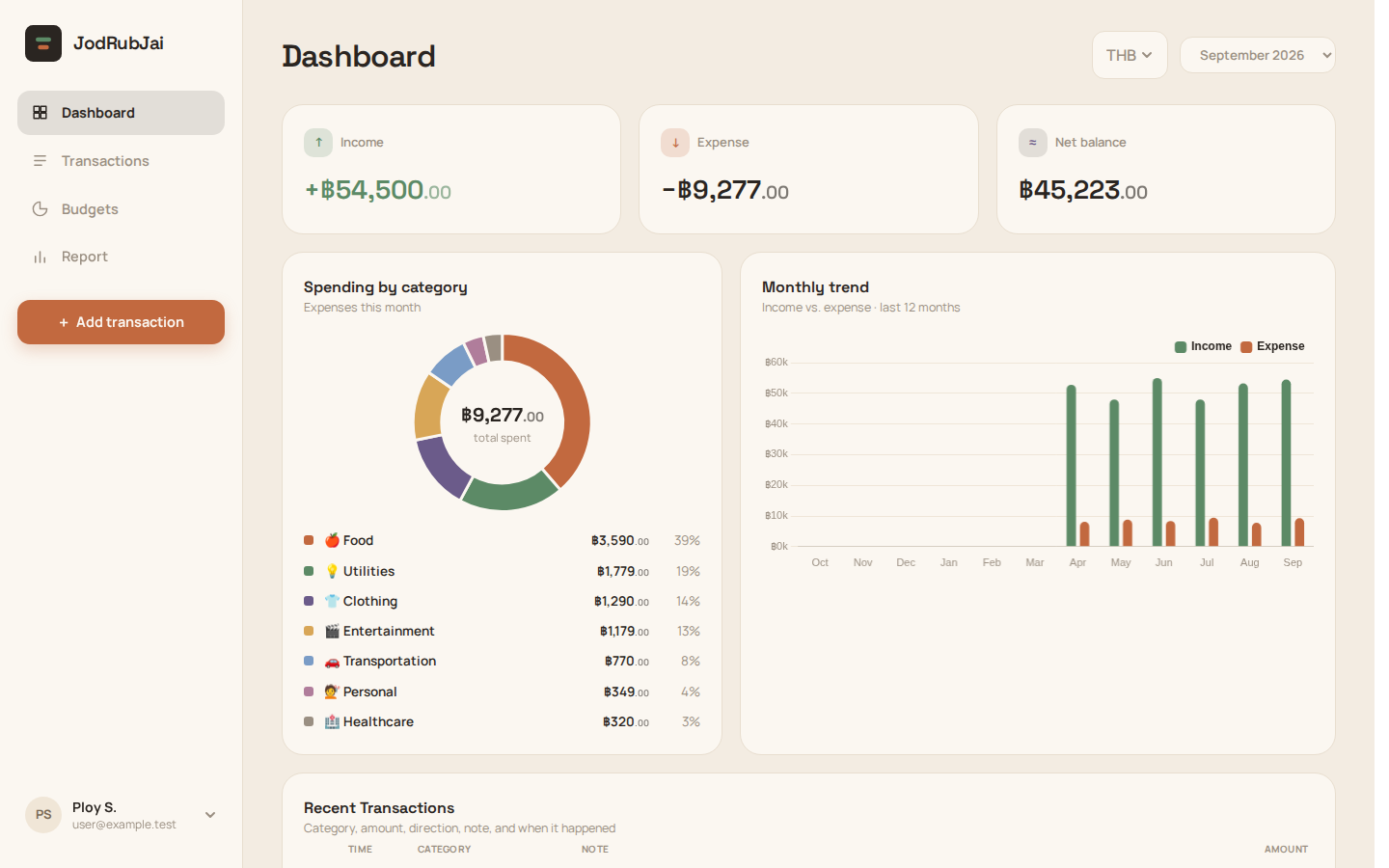
JodRubJai is a personal finance tracker that reads your bank slips and receipts, works in any currency, and shows where your month went.

Create your accountAlready have an account? Log in
Get it on Google Play
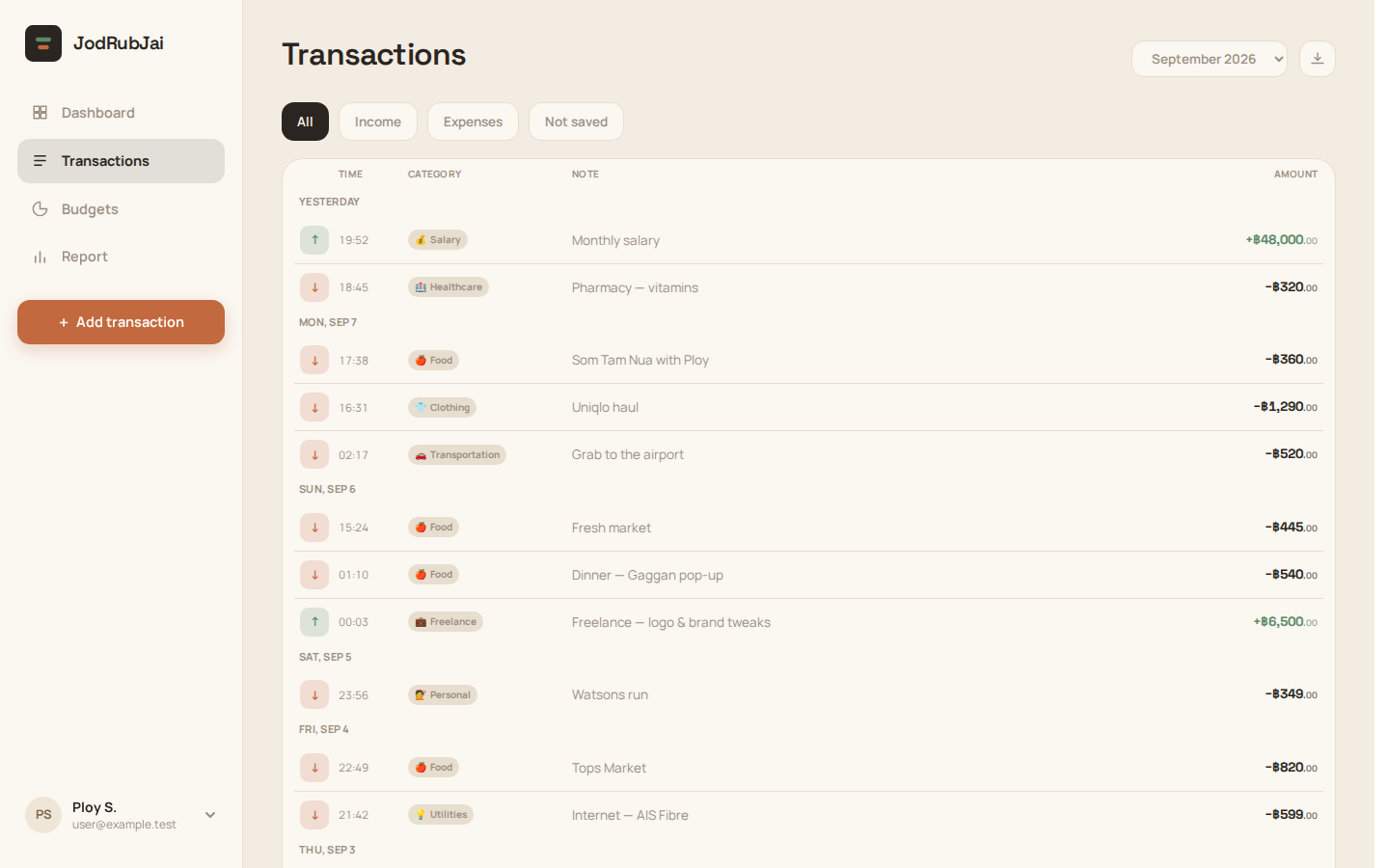
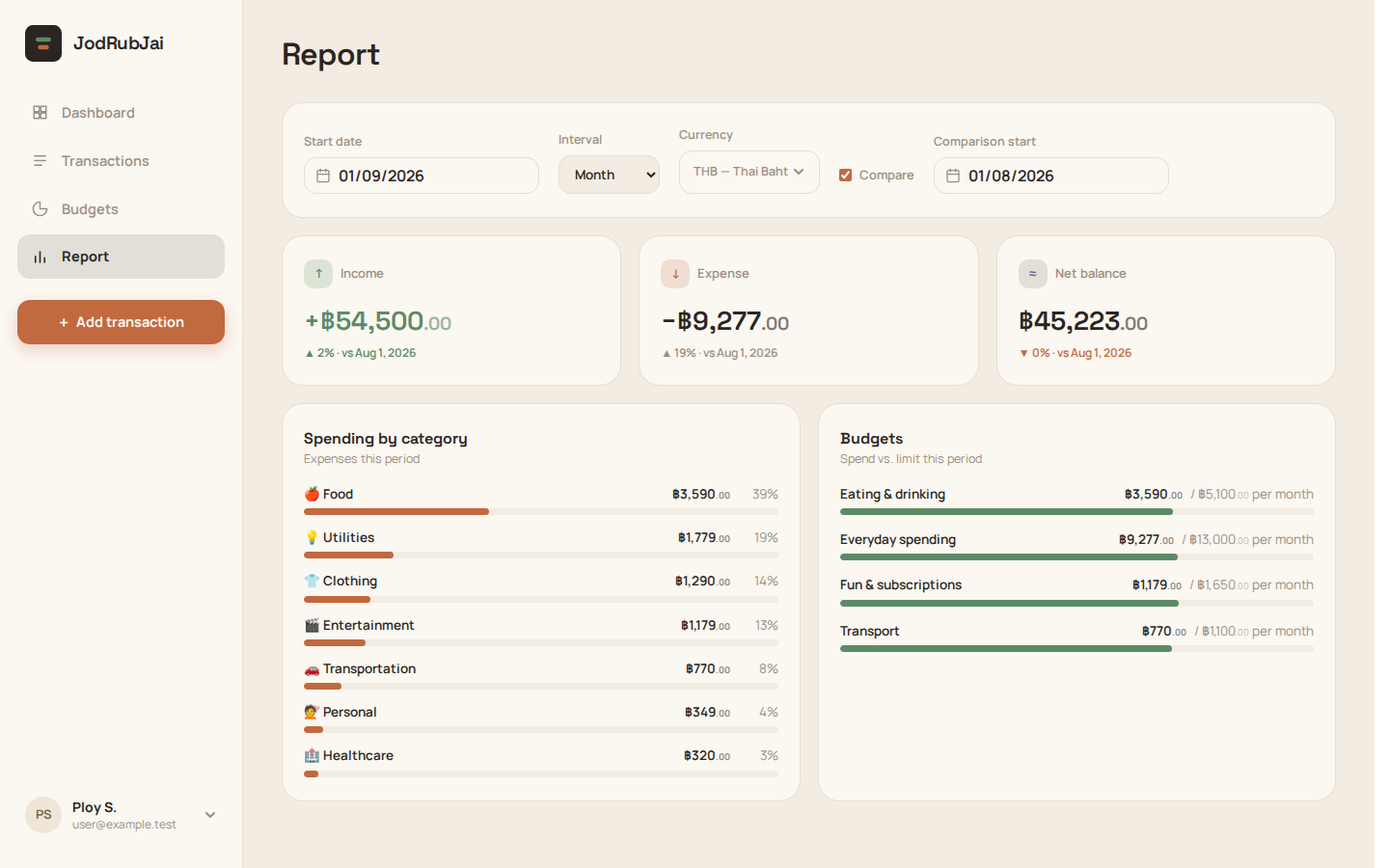
Dashboard — the month at a glanceTransactions — every entry, categorisedReports — where the month went

Statement of capabilities

  • 001

    Record income & expense

    Amount, category, note and date in seconds. Internal transfers flagged out of reports.

  • 002

    Scan a slip or receipt

    Photograph a PromptPay slip or a receipt in any currency; the amount appears at once, and a self-hosted AI model fills in the names, date and currency for you to check.

  • 003

    Any currency

    Amounts stay in what you paid; per-currency totals, never silently converted.

  • 004

    Watched folders

    Point at a folder of saved slips; new files are imported and read on the next scan — when you open the app, and in the background on Android.

  • 005

    Monthly & category reports

    Where the month went, period against period, exportable to CSV.

  • 006

    Budgets with live progress

    A monthly limit per category; what's left updates as you spend.

  • + 6 more on the features page
See all features

Recent entries

NEW

Ask chat about your partner's spending too

Once you're linked as partners, ask “how much did we spend this month?” or “how much did my partner spend on food this month?” and chat answers for them or for both of you — spending, budgets, balance, recent transactions, comparisons and reports. In the app it works as soon as the partnership is active. In LINE, Telegram and Messenger, both of you first allow sharing your figures in messengers on the Partner page; it's off by default.

NEW

Compare periods and get a report in chat

Ask “compare this month with last month” or “report for this year”. A comparison shows what was spent and received in each period and how it changed; a report gives the totals, the number of transactions and your top categories. Either way, a button opens the Report set up for exactly those dates.

NEW

A quick-action menu in LINE

The LINE chat now has a menu of six buttons at the bottom: balance, this month, recent transactions, camera, photo and feedback. One tap gets an answer or opens the camera, your photos or the feedback form — no typing needed.

See all updates