Feature statement · complete
Everything JodRubJai does, itemised.
Grouped by what you're trying to get done. Every line is live today, on the web and in the Android app.
Recording money
§ 001–006Quick add
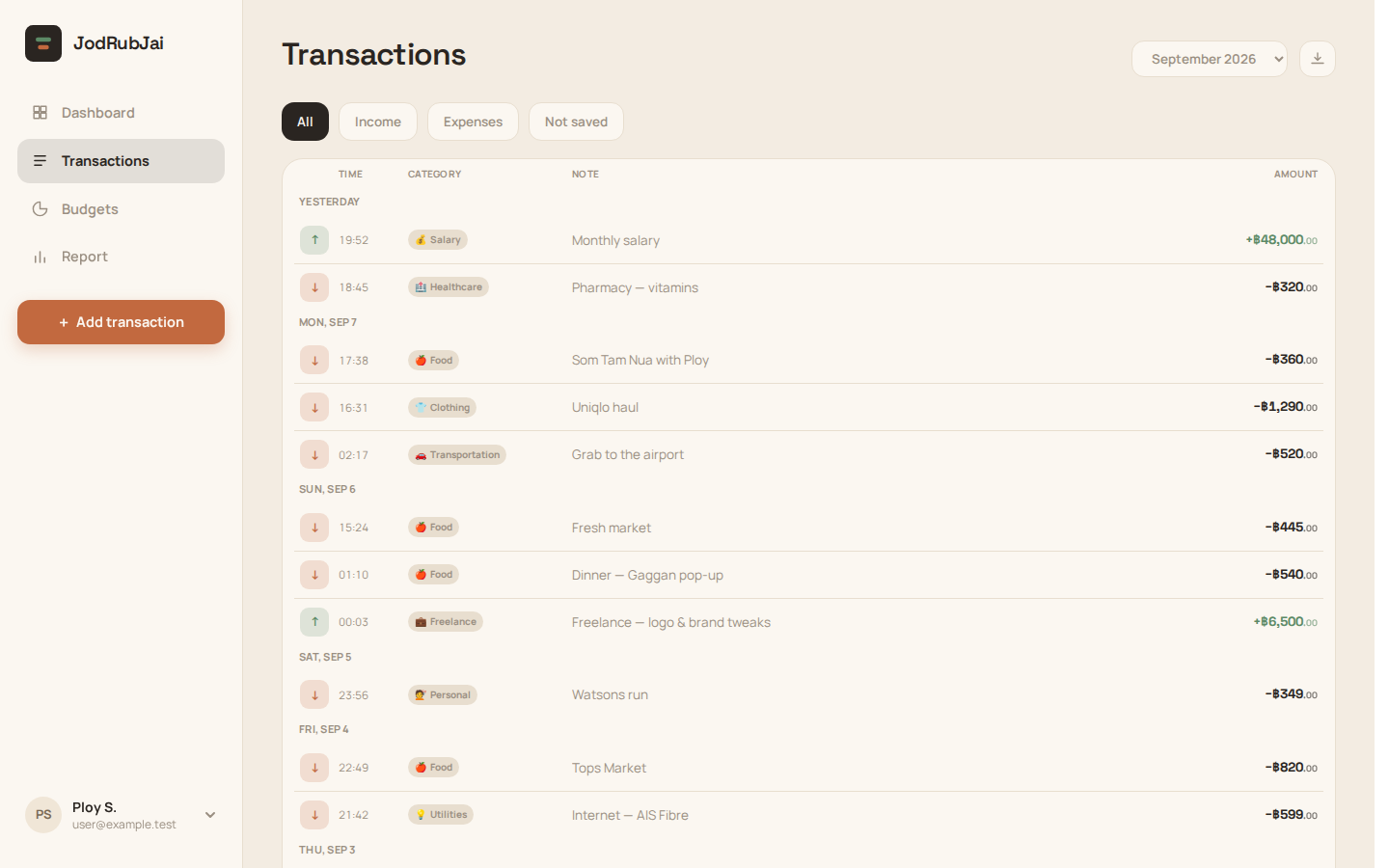
Amount, direction, category, note and date — from any screen, in seconds.
Chat
Type or ask in plain words, in the app, LINE, Telegram or Messenger: “taxi 120 coffee 80” becomes a draft you Save or Cancel, and “how much on food this month?” is answered from your own data with a button to the matching screen.
Compare and report in chat
Ask “compare this month with last month” or “report for this year”: a comparison shows spent and received in each period and the change, a report adds transaction counts and your top categories, and a button opens the Report on exactly those dates.
Multi-currency
Log a transaction in the currency you paid in — scanned receipts included; the dashboard keeps a running total per currency, never auto-converted.
Categories
A shared set with emoji keeps entries consistent and reports meaningful.
Internal transfers
Flag a move between your own accounts so it never counts as spending or income.
Slips & receipts
§ 007–012Slip & receipt scanning
Photograph a PromptPay slip or a receipt in any currency, or paste a slip's text. A quick first read puts the amount on screen at once; a self-hosted AI model then fills in the date, sender, recipient, currency and note in the background, for you to check. Your receipts never go to a third-party AI service.
PromptPay verify QR
When a PromptPay slip carries its verification QR, it's decoded for the exact sending bank and transfer reference. A reference is only ever taken from the QR — never guessed from the picture.
Watched folders
Choose a local folder of saved slips — new files are picked up and read on the next scan: when you open or return to the app, on demand, or in the background in the Android app. A progress card shows each import as it runs, progress can also appear in the notification shade, and the Android app notifies you of background imports and failures.
Bulk import
Import many receipts at once. One screen lists every upload and what it became — a new transaction, a match to an existing one, or still being read — and lets you retry any that didn't upload. Reading carries on after you leave the app.
Duplicate safety
Uploading the same file again returns the entry it already made, and a new photo of a QR slip is linked to its existing entry by transfer reference — never duplicated, never overwritten.
Your edits come first
Edit an entry before the AI finishes reading its receipt and nothing is overwritten: the entry is flagged, and you choose field by field which values to keep, with a preview of the result.
Seeing where it went
§ 013–016Dashboard
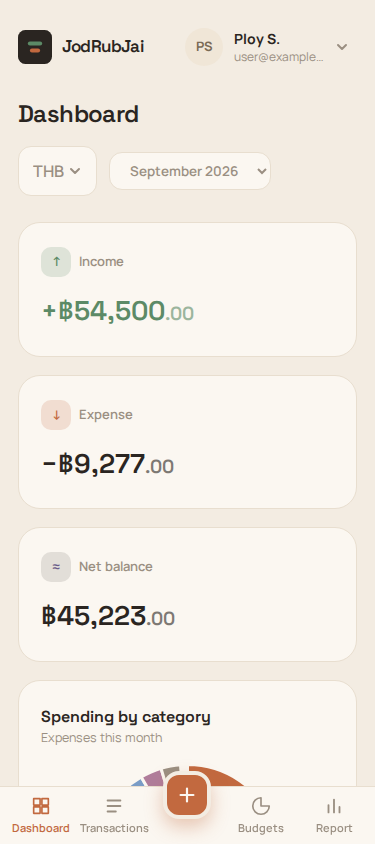
Income, expense and net balance for the month, a spending-by-category chart, and your latest entries.
Monthly & category reports
Break a period down by category, switch months, and see the share each category takes.
Period comparison
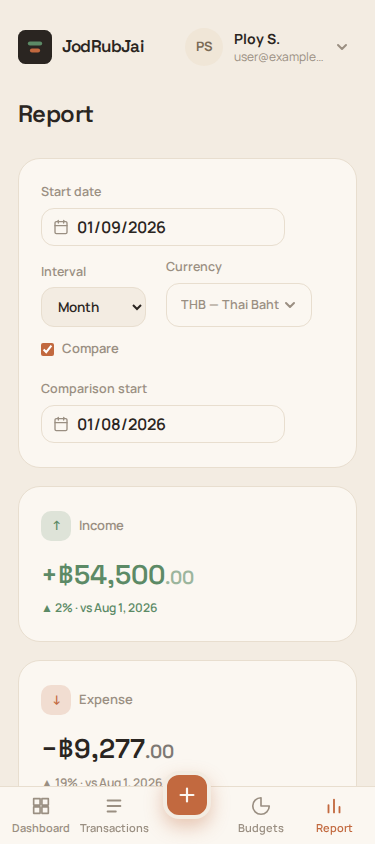
Set a range and a baseline period to see exactly what rose and what fell.
CSV export
Export any date range — with your timezone applied — for a spreadsheet or your accountant.
Staying on plan
§ 017–018Category budgets
Give a category — or all spending — a limit per month, week or day. No budget means it simply isn't tracked — no clutter.
Live progress
Each budget shows what you've spent against the limit and flags when you go over, updating as you log.
Sharing with a partner
§ 019–021Link a partner
Send an invite; once accepted, dashboards and reports can show a combined view.
Attribution kept
Every shared transaction still shows who logged it, and either person can scope a report to just themselves.
Ask chat about your partner
“How much did we spend this month?” — chat answers for your partner or for both of you. In the app it works once you're linked; in LINE, Telegram and Messenger you both first allow sharing your figures in messengers on the Partner page, and it's off by default.
LINE
§ 022–025LINE Login
Use your LINE account to sign in — on the web and inside the Android app.
Messaging bot
Send the bot a slip or a note and it records the transaction to your account. Each answer quotes what it replies to, in your LINE language, with a card to edit the entry or open the dashboard in the app. A photo it can't read at once keeps being read by the AI, and the result shows up in the app.
Quick-action menu
Six buttons under the chat — balance, this month, recent transactions, camera, photo and feedback — answer, or open the camera, your photos or the feedback form, in one tap.
LIFF MiniApp
A lightweight in-LINE screen that connects your LINE account to JodRubJai in one tap, without leaving the chat.
Platform & access
§ 026–031Installable PWA
Add JodRubJai to your home screen or desktop; it opens in its own window, going straight to your dashboard once you're signed in.
Offline & sync
Log and edit with no connection; changes queue locally and sync when you're back. If an entry changed elsewhere in the meantime, you pick field by field what to keep — nothing is silently overwritten. Every view is cached after sign-in, so it works offline even before you've opened it.
Android app on Google Play
A published build with native folder access for receipt import and in-app LINE login. Uploads keep going when you switch to another app, links from the LINE bot open straight in the app, and nothing is preloaded in the background on mobile data.
Appearance
Default, Strict Light or Strict Dark (with follow-OS), plus corner style, comfortable / compact density, time zone and the first day of your week.
Two-factor auth
Protect your account with an authenticator-app second factor.
English / ไทย / Русский
The whole app, including emails, in English, Thai or Russian — switch any time.
Your data
§ 032–035Privacy you can review
The privacy notice is always one tap away. Optional extras — LINE and partner sharing — run on consent you withdraw by unlinking them.
Full export
Download everything the app has stored about you as a single JSON file.
Receipt photos expire
Uploaded receipt photos are kept only long enough to read them and are deleted after 15 days. The transactions they created stay.
Delete your account
Permanently remove your account and all associated data from one screen.
Real screenshots of JodRubJai: the transactions list on desktop, and the dashboard and monthly report on a phone.
Start today
It's free — no card, no time limit. Your first entry takes under a minute.